> ## Documentation Index
> Fetch the complete documentation index at: https://julius.ai/docs/llms.txt
> Use this file to discover all available pages before exploring further.
# Chat Interface
> The chat interface is the heart of the Julius AI experience. Designed to be intuitive and powerful, the chat brings natural language and structured thinking together in a single, fluid space.
***
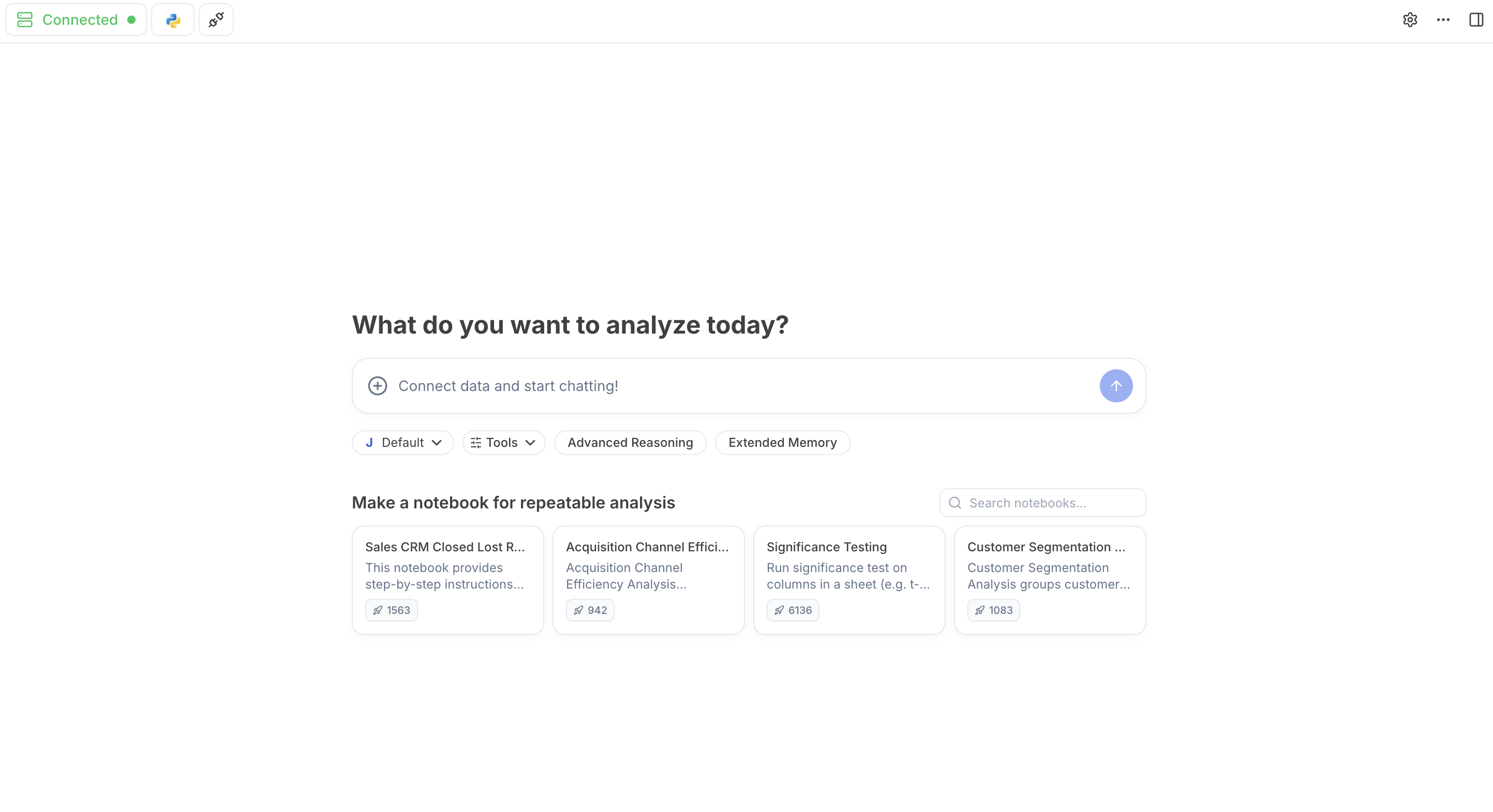 ***
## Top Navigation Bar:
***
## Top Navigation Bar:
 Shows the AI's **RAM Usage** and **CPU Utilization rate**, which are performance indicators for your container. A high RAM Usage and CPU Utilization indicates that a container **reset** is required for an improved analysis.
**Expand Resources** allows you to customize your container RAM and supercharge your analysis for faster and better results.
Switch between code runtimes: **Python**, **R**, **Lean Python** (a lighter Python environment), and **GPU**.
Add or manage your database connections, or set secret keys for the AI to use securely.
Customize your Julius experience with the appearance, type of model or code you want in your analysis and insights.
Contact the Julius team for support.
You can also reach us at [team@julius.ai](mailto:team@julius.ai)
Shows your data outputs and variables in real time. See what is powering your tables and visualizations, update and delete and add columns in real time, and download and export the data to easily share.
***
## Main Chat Bar:
Shows the AI's **RAM Usage** and **CPU Utilization rate**, which are performance indicators for your container. A high RAM Usage and CPU Utilization indicates that a container **reset** is required for an improved analysis.
**Expand Resources** allows you to customize your container RAM and supercharge your analysis for faster and better results.
Switch between code runtimes: **Python**, **R**, **Lean Python** (a lighter Python environment), and **GPU**.
Add or manage your database connections, or set secret keys for the AI to use securely.
Customize your Julius experience with the appearance, type of model or code you want in your analysis and insights.
Contact the Julius team for support.
You can also reach us at [team@julius.ai](mailto:team@julius.ai)
Shows your data outputs and variables in real time. See what is powering your tables and visualizations, update and delete and add columns in real time, and download and export the data to easily share.
***
## Main Chat Bar:
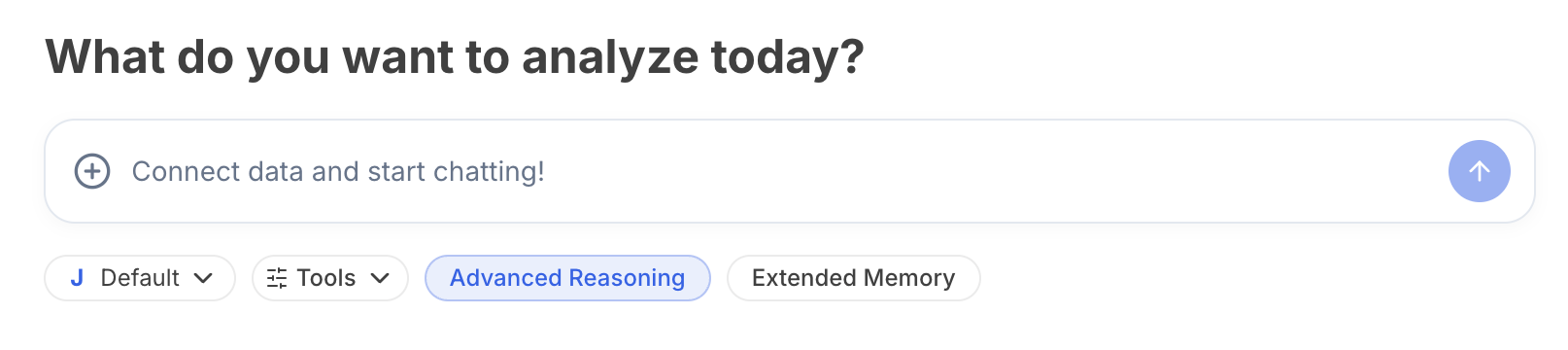 Upload your file for analysis, or connect your data source to allow Julius to query the database directly.
Switch between Julius and third-party models (OpenAI and Anthropic) for your analysis.
Have Julius think through a complex task before answering. On supported models, you can set the reasoning level. See [Reasoning](/reasoning).
Allow Julius to view history of recent chats while working on a task
***
## Notebook Suggestions:
Upload your file for analysis, or connect your data source to allow Julius to query the database directly.
Switch between Julius and third-party models (OpenAI and Anthropic) for your analysis.
Have Julius think through a complex task before answering. On supported models, you can set the reasoning level. See [Reasoning](/reasoning).
Allow Julius to view history of recent chats while working on a task
***
## Notebook Suggestions:
 If you're running a query frequently, consider creating a notebook for it to save time and keep track of your analysis. Julius will suggest popular notebooks our users have found helpful.
Get started with your analysis and see all these features in action!
If you're running a query frequently, consider creating a notebook for it to save time and keep track of your analysis. Julius will suggest popular notebooks our users have found helpful.
Get started with your analysis and see all these features in action!